
Log Lens
Private by design.
A lightweight log viewer for reading and querying JSON, NDJSON and CSV logs. One engine powers three surfaces — a VS Code extension, a web app and an installable PWA — and your logs never leave your machine.

Use it where you already work
VS Code extension
Open from the Activity Bar, the Explorer context menu or the Command Palette. A status bar item shows match count, parse errors and the detected format, and it follows your color theme — dark, light and high contrast.
Web app
Drag and drop, pick a file, paste from the clipboard or reopen a recent file. Merge several files into one view, with no install required.
Installable PWA
Install it in Chromium browsers. It works offline and opens .json, .ndjson, .log and .csv files straight from your machine.
Find the one line that matters
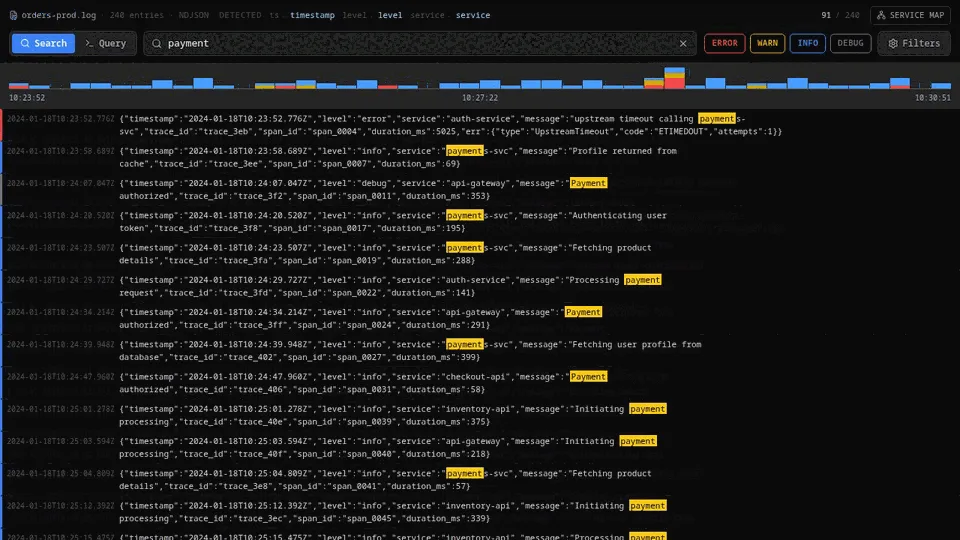
Search
One input matches the message and every field, including nested values. Level chips filter by level and understand numeric Pino and Bunyan levels.
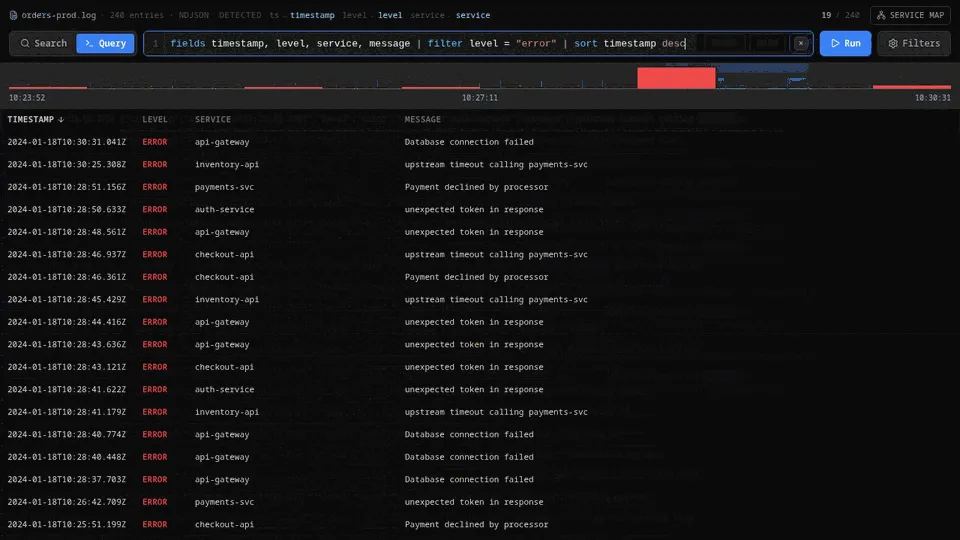
Query mode
A CloudWatch Logs Insights-style pipeline with fields, filter, sort and limit — plus error locations, quick fixes and autocomplete.
Volume histogram
A level-stacked timeline of log volume, so error spikes show up at a glance.
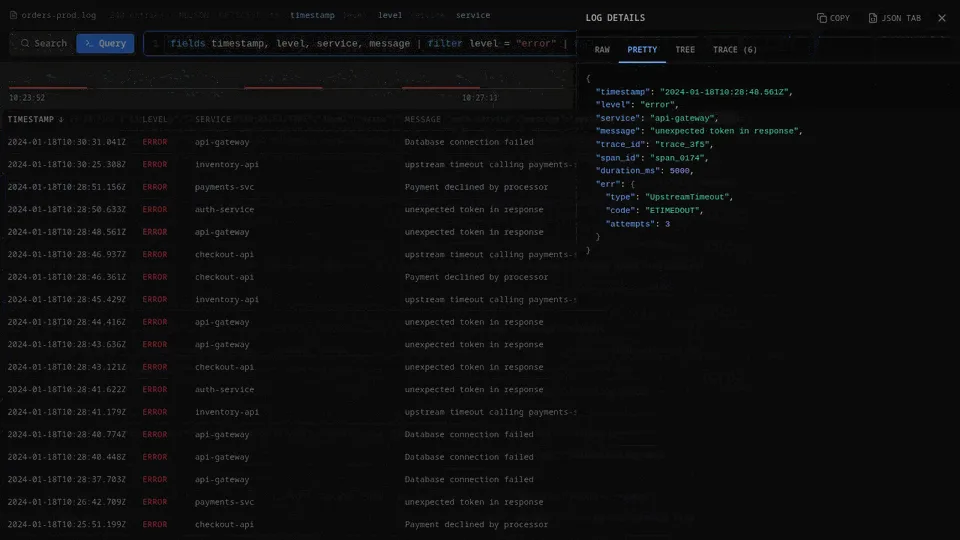
Log table
Non-wrapping rows and color-coded level columns, with a details panel offering Raw, Pretty and Tree views.
Filters panel
Structured filters combined with AND/OR, custom ordering, visible-field toggles and nesting-depth control.
Distributed traces
A service map that detects trace and span fields, including inside containers like @message.
A look inside
Up and running in seconds
From the Marketplace
Open the Extensions view in VS Code, search for “Log Lens” and click Install — or use the Open in Marketplace button above.
Or from Quick Open
Press Ctrl/Cmd+P and run: ext install sabeesoft.log-lens
Open your logs
Right-click a .json, .ndjson, .log or .csv file and choose “Open with Log Lens”, or open it from the Activity Bar or the Command Palette.
Your logs never leave your machine
Log files are full of production secrets — tokens, emails, customer records. Log Lens parses and queries everything locally, so there is nothing to upload and nothing to leak.
- No uploads, no servers, no telemetry
- The web app sets connect-src 'none', so the browser blocks every network request
- A CI check (check:no-network) fails the build if network APIs appear in the source
- No accounts, cookies, analytics or third-party resources
Open source, Apache-2.0
Read the code, file an issue or ship a fix. Log Lens is free and open on GitHub.